




Org chart
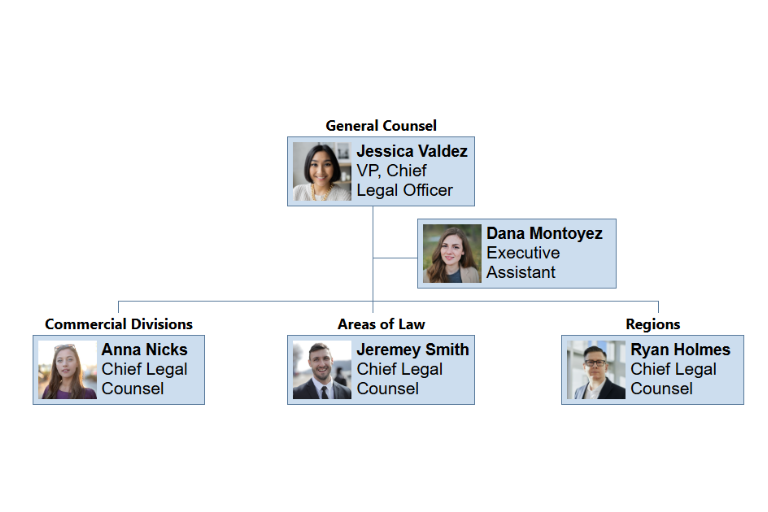
Manually making a department org chart and then manually maintaining that org chart can take a lot of time. Fortunately, this is a repetitive task that can be done by computers with a little bit of coding.
Below we will describe the general steps that could be done regardless of which language or tool set you decide to use. Going through the general steps helps us to organize our work and then decide which languages or tools would be best to use.
We often already have tools where we can look up a single person and see the link between them and their manager or see a list of their direct reports. These tools work just fine when you want to see the relationships that a single person has. But what about when you want to see the big picture of the entire department? This is where we need to create our own org chart tool. An org chart that will update itself periodically.
In this scenario, we will have an automation run every Monday morning and it will build our org chart tree. Then when we want to see the org chart, our org chart will be built using this weekly snapshot. Analyzing a tree with hundreds of people takes a few minutes, so it's better to have our users look at a periodic snapshot instead of live data.
This scenarios is very similar to the scenario where we get a list of people under a department head. In fact the steps are the same, except instead of outputting a flat array containing a list of email addresses, we will need at the very least to link the employee to their manager. Ideally, we would also like to have their job title, name, and a small photo.
We will need to store this snapshot of data in a convenient place. Then when the user visits the org chart, the page will need to extract the data from the snapshot and to parse that data and display the entire org chart.
So how would you meet the requirements of this scenario using the languages and tools available to you?