




SVG
I want to introduce you to something you might not know about, but it has helped me a lot as I design things to look beautiful. Scalable vectors graphics, or SVG's for short.
SVG is an image format that is perfect for simple images like icons and logos that need to look perfect at any size. SVGs remain crisp and clear at any scale because they are based not on pixels, but on code that defines shapes, lines, and colors mathematically. So at any size, the browser renders the image to look perfect. It's not about individual pixels.
Above is an example of the Automate Office Work logo in SVG format looking perfect at various sizes from small to large. And below is the code that generates the image. The image is describing points connected by lines, the shape which is then filled in with colors. The A and W of the logo are described in the first <path>. The O is described in the second.
<?xml version="1.0" encoding="UTF-8"?>
<svg xmlns="http://www.w3.org/2000/svg" width="124" height="124" xml:space="preserve">
        <path style="stroke:none;stroke-width:1;stroke-dasharray:none;stroke-linecap:butt;stroke-dashoffset:0;stroke-linejoin:miter;stroke-miterlimit:4;fill:#091958;fill-rule:nonzero;opacity:1" transform="translate(.437 -.109) scale(.29035)" d="M78.95 191.73 163.16 0h92.48l87.97 191.73h-26.513c-16.541-32.392-47.729-56.077-84.813-62.305L210.38 80.45l-21.097 49.717c-35.324 7.207-64.876 30.34-80.82 61.563zm5.26 175.93 57.23-30.01c19.754 15.214 44.497 24.265 71.34 24.265 25.91 0 49.863-8.432 69.261-22.7l54.049 28.445-23.941-60.93c11.208-17.953 17.686-39.16 17.686-61.87 0-.777-.007-1.552-.022-2.326l27.327-15.474 66.92 140.6-48.12 60.16h-81.21l-84.35-47.37-82.56 47.37H45.86L0 367.66l64.66-140.6 31.066 17.382-.001.418c0 21.082 5.582 40.868 15.349 57.96z"></path>
        <path style="stroke:#091958;stroke-width:0;stroke-dasharray:none;stroke-linecap:butt;stroke-dashoffset:0;stroke-linejoin:miter;stroke-miterlimit:4;fill:#8894c2;fill-rule:nonzero;opacity:1" transform="translate(31.77 40.798) scale(.29035)" d="M104.114 0C161.586 0 208.23 46.643 208.23 104.114c0 57.472-46.643 104.115-104.115 104.115C46.644 208.229 0 161.586 0 104.114 0 46.644 46.643 0 104.114 0zM71.963 104.393c0 18.207 14.777 32.985 32.985 32.985s32.985-14.778 32.985-32.985c0-18.208-14.777-32.986-32.985-32.986s-32.985 14.778-32.985 32.986z"></path>
</svg>
So now you've seen an SVG and the basic parts it's made up of, how do you create or edit one? Certainly people don't edit the code directly by hand! Of course not! There are SVG editors. You can find some that are online in the browser. But the one that I use nowadays is a free program for Windows called InkScape.
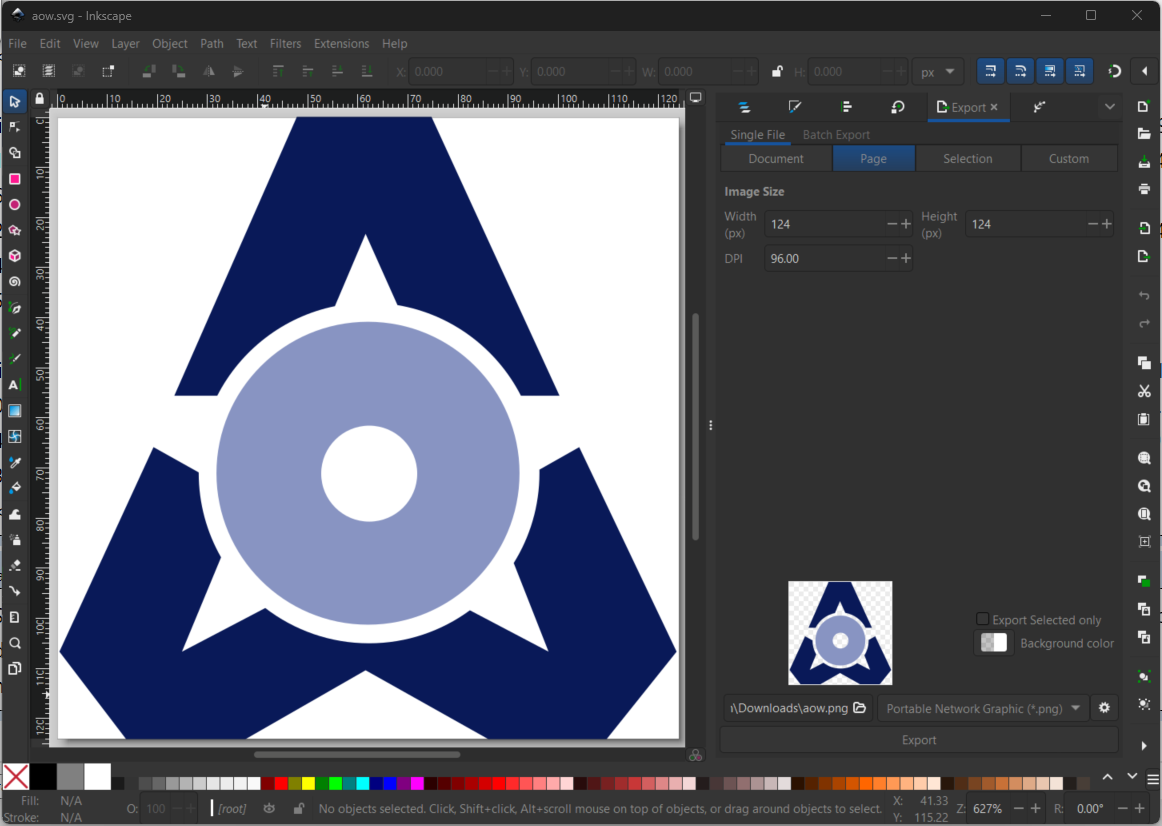
You manipulate not pixels, but the points, lines, and curves that make up a shape. For example, in the A portion of the logo I can add an additional point.
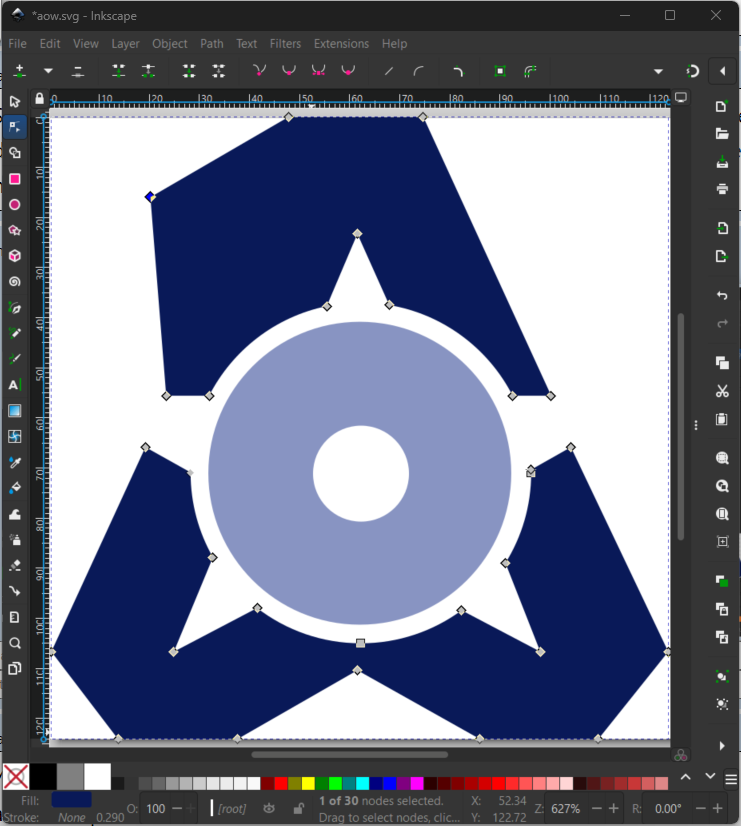
The shape automatically conforms to contain this extra point. I'll stop this article here to keep it brief. You can easily find tutorials on how to go further. SVG format has been a game changer for me. Now when I create logos and icons I create them in SVG because they will look perfect at any size and file sizes area usually much smaller than other image formats.
I hope this is helpful for you and perhaps you have discovered another area of work where your creativity can shine.